 PubSaver
Publisher left Microsoft 365 on 1 October 2026
Get your old Publisher files back, as Word and PDF.
PubSaver finds every .pub file on your PC, turns them all into PDFs and editable Word documents in one go, and shows you which pages need a second look. Your files never leave your computer.
25-second demo. It plays from YouTube when you press play.
Three steps. No Publisher needed.
Find every file
One search of your Documents, your other drives and USB sticks. Years of bulletins, newsletters, flyers and cards, listed by folder with their dates.
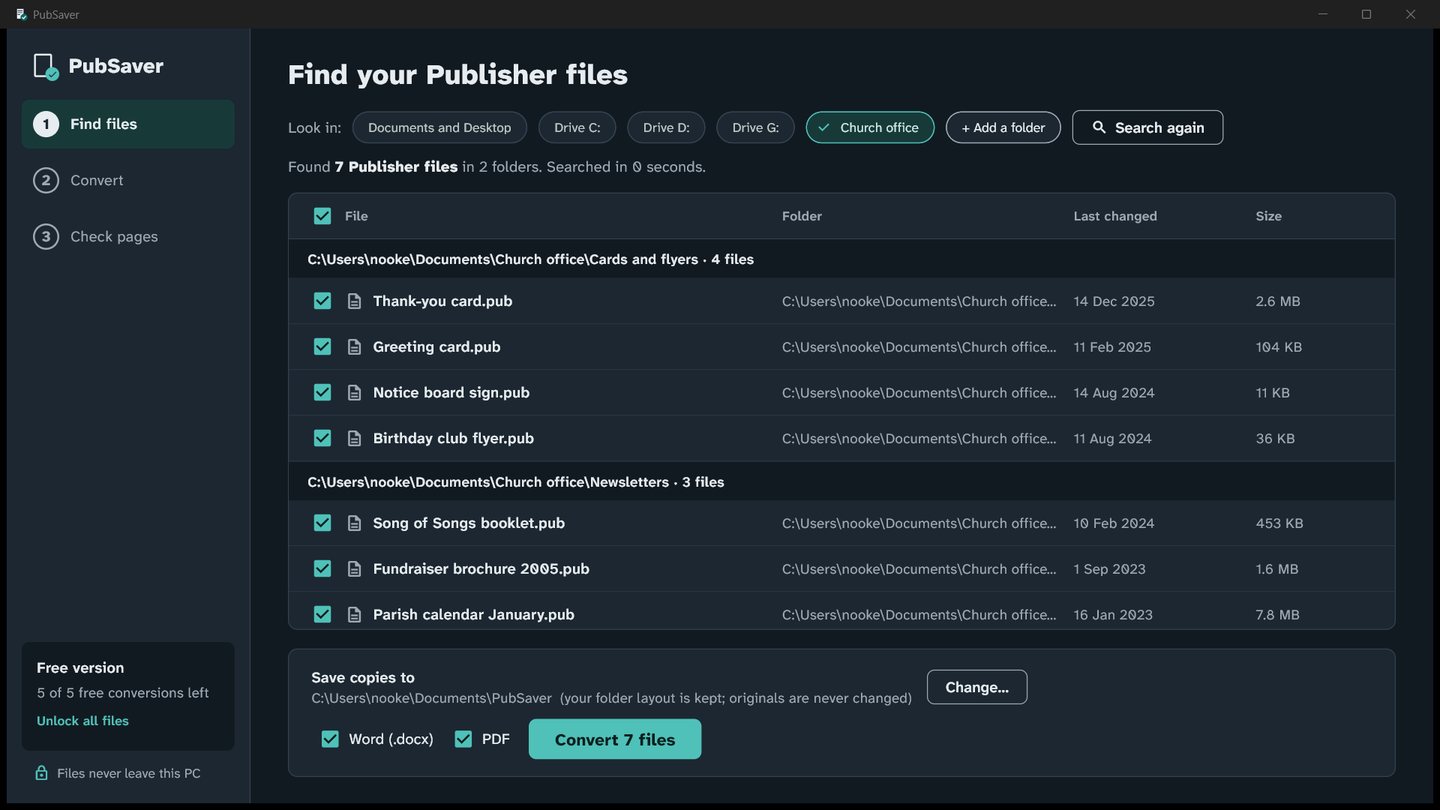
Convert them all at once
One click makes a PDF and an editable Word document for each file. Copies go into a new folder that keeps your folder layout. Your original .pub files are never changed.
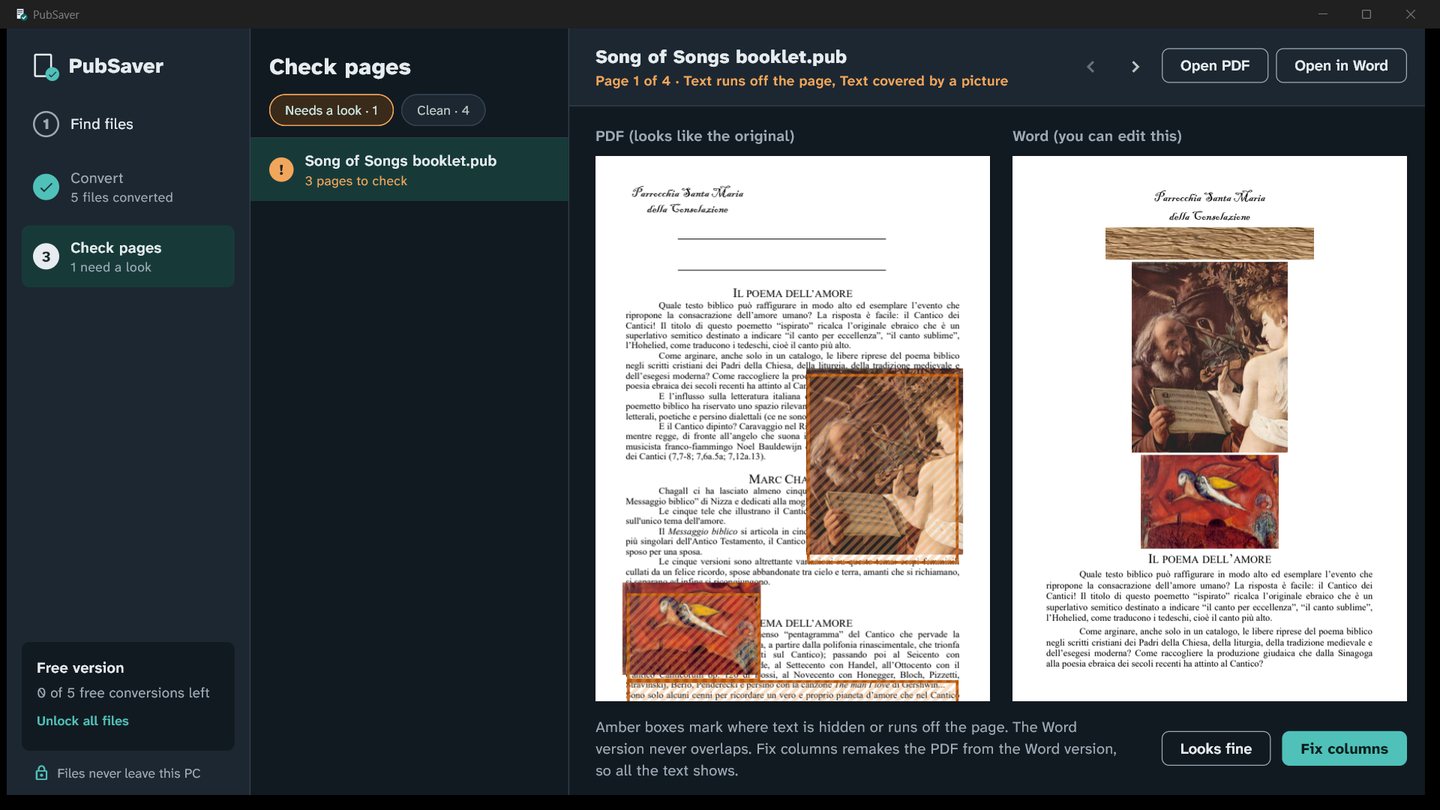
The Word version flows like a normal document: text in reading order, real Word columns, pictures between paragraphs and tables kept as tables, so you can change this week's dates and print.
Check the pages that need it
Busy newsletters don't always come through cleanly. PubSaver marks the exact spot where a picture covers text, two text boxes run into each other, or a column runs off the page. Fix columns then makes a clean PDF from the Word version, so every word shows.
Your files stay on your PC
Nothing is uploaded
Parish registers, school letters and member lists are converted on your computer. Online converters send them to someone else's server.
Works without Publisher
The open-source LibreOffice engine that reads .pub files is built in. There's nothing else to install.
Originals untouched
PubSaver only reads your .pub files. New PDFs and Word files go into their own folder.
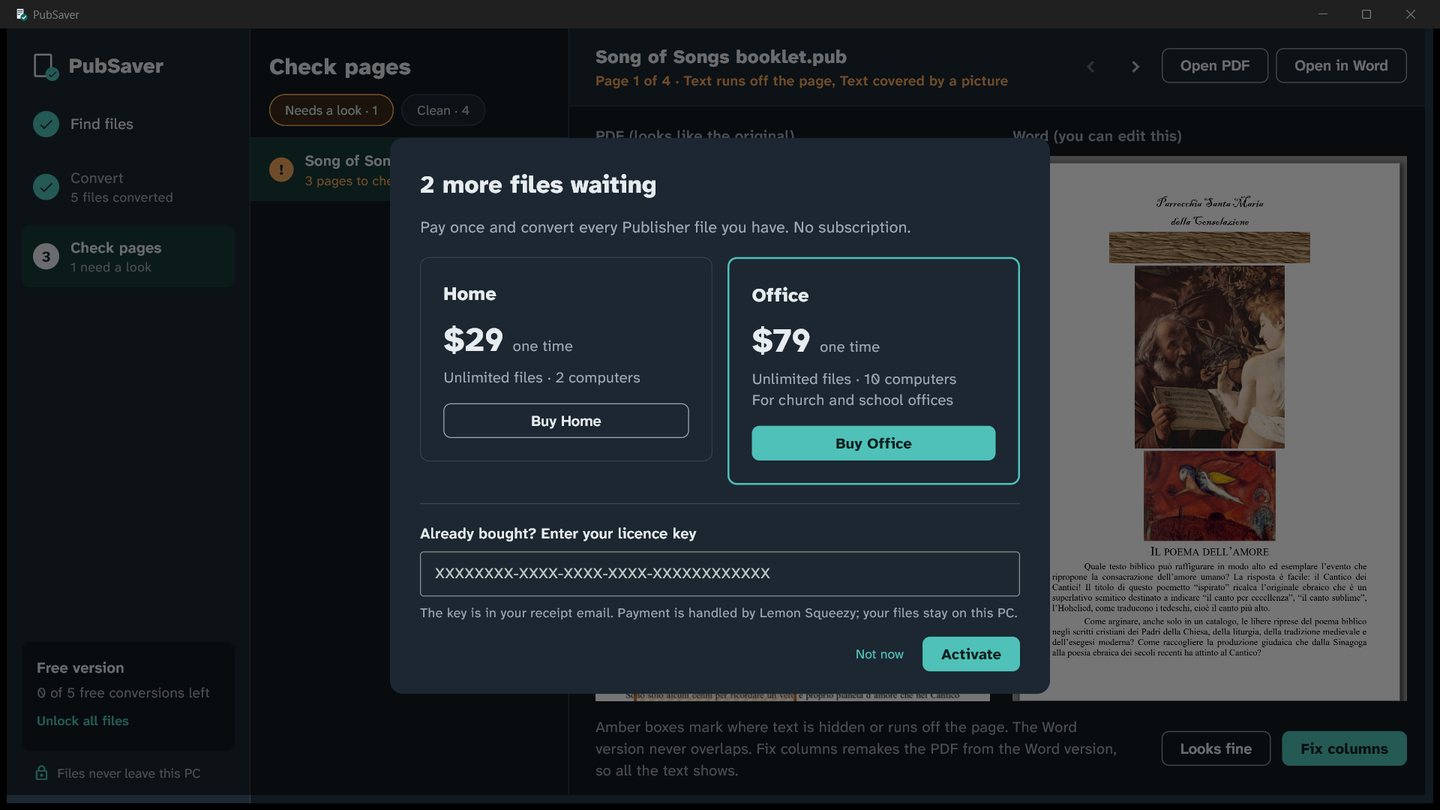
Pay once. Keep it.
Office
Unlimited files on 10 computers. For church, school and print-shop offices.
Buy OfficeNo subscription. Your licence key arrives by email; enter it in PubSaver. Moving to a new computer? "Free this seat" moves your licence. Payments are handled by Lemon Squeezy.
Questions
Do I need Microsoft Publisher installed?
No. PubSaver reads .pub files itself, with the LibreOffice engine (libmspub) built in.
Are my files uploaded anywhere?
No. Everything happens on your PC. The only internet use is the licence check, which sends your licence key and your computer's name to Lemon Squeezy.
Will every page look perfect?
Most text comes through cleanly. Busy newsletters with pictures wrapped by text can shift, so PubSaver marks those spots instead of leaving you to find them, and Fix columns makes a clean PDF from the Word version.
Which Publisher versions work?
Files from Publisher 2000 and later. Very old files from Publisher 95 to 98 may not open; PubSaver tells you which ones.
What's the difference between Home and Office?
Both convert unlimited files. Home works on 2 computers, Office on 10, for an office where several volunteers share the work.
Does it work on a Mac?
Not yet. PubSaver is for Windows 10 and 11.